


AI agents for business promise to take over whole work steps on their own: read requests, look up data, prepare drafts and pass them on. But which of that works reliably today, and what does an agent cost that runs in daily operations rather than in a demo? This article gives you an honest picture: what an AI agent is, where it pays off, where it fails, and how the costs come together.
- An AI agent completes tasks in your systems; a chatbot only answers questions.
- Agents pay off for frequent tasks that need judgement; clear rules are cheaper with classic automation.
- Gartner expects over 40 % of agentic AI projects to be canceled by 2027, mostly due to cost, unclear value or weak controls.
- Running costs depend heavily on the model: in one sample calculation between about USD 42 and USD 3,360 per month for the same workload.
- Start with one workflow, a prototype on real data and test cases with known results.
Want to learn more?
In a free strategy call we answer your questions about cost, technology and process.
Book a callWhat is an AI agent?
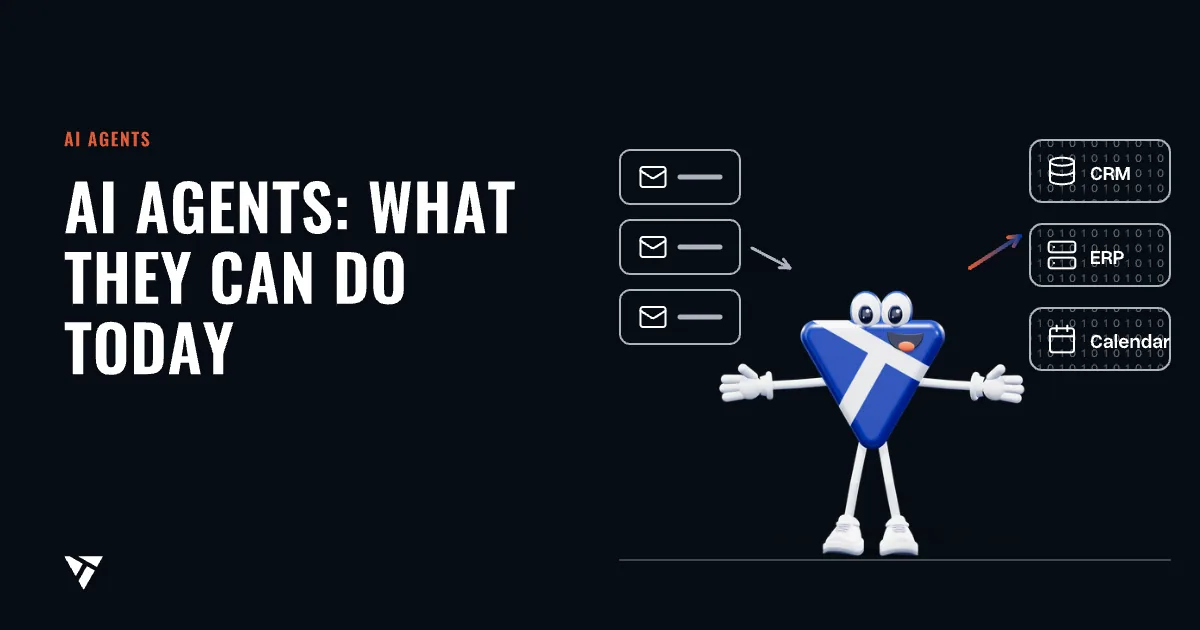
An AI agent is software in which a language model does more than answer. It receives a goal, decides which steps lead there, uses tools for them (a search in your documents, a query in your CRM, an email draft) and checks the result before it continues. The difference from a chatbot: a chatbot answers questions, an agent completes tasks in your systems. How chatbots for websites, customer service and internal questions work is explained in our article AI chatbot for business.
The difference from classic automation matters just as much. A rule-based workflow follows fixed if-then rules and always delivers the same result. An agent weighs things up: is this email a complaint or an order? Does this invoice match the order, even if the wording differs?
-
Chatbot
- What it does
- Answers questions, for example from your documents
- Where it fits
- Websites, customer service and internal questions
-
AI agent
- What it does
- Completes tasks in your systems: decides on the steps, uses tools and checks the result before it continues
- Where it fits
- Wherever judgement is needed and would otherwise take a person's time
-
Classic automation
- What it does
- Follows fixed if-then rules and always delivers the same result
- Where it fits
- Wherever the rules are clear: cheaper and more predictable
Be careful with the label. Gartner calls it "agent washing" when existing assistants, chatbots or RPA tools are simply rebranded as agents, and estimates that only about 130 of the thousands of vendors offer real agentic capabilities (Gartner, June 2025).
What AI agents can reliably do today
Agents work well where a task is frequent, follows a recognisable pattern and still needs some judgement. Typical examples:
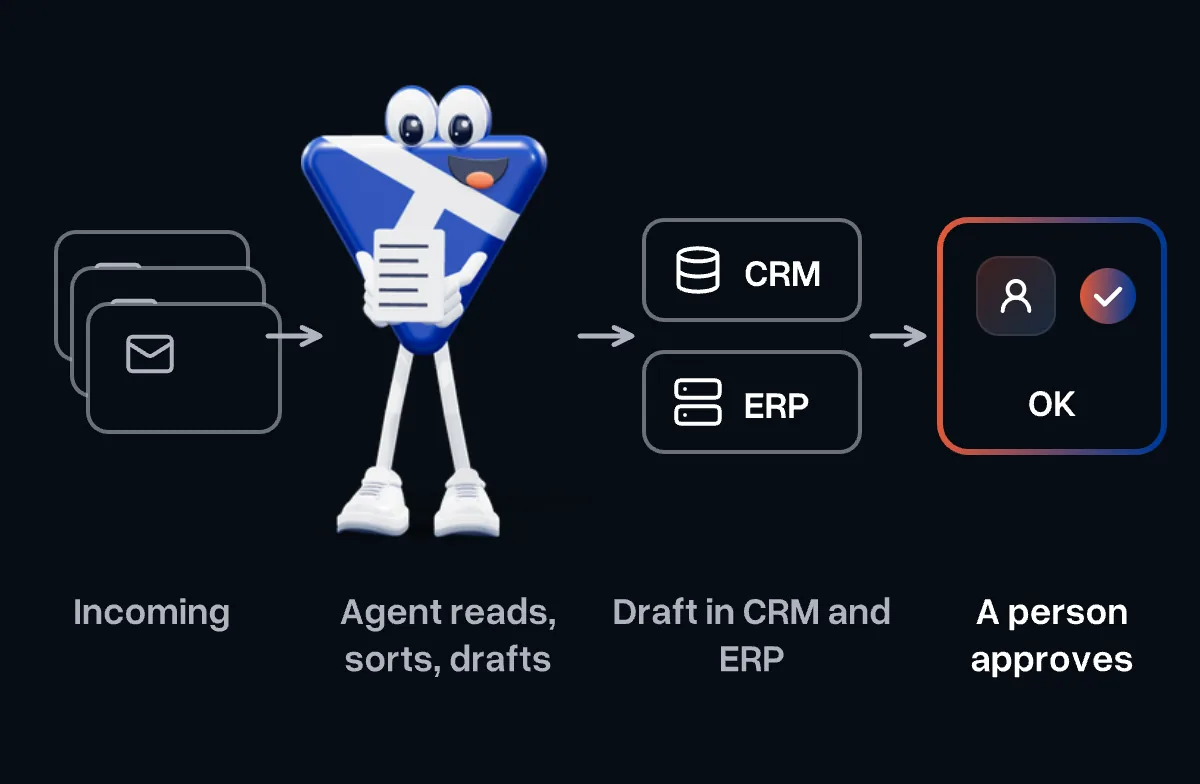
- Sorting incoming requests: read emails or form entries, recognise the topic and urgency, route them to the right team and attach the relevant customer data.
- Checking documents: compare invoices, delivery notes or applications with the order or the rules and flag deviations.
- Research and drafting: gather information from several sources and prepare a reply, an offer or a report for a person to finish.
- Transferring data with judgement: take information from unstructured documents and enter it correctly into an ERP or CRM.
- Answering internal questions and acting: answer a question from the company wiki and create the matching ticket at the same time.
What these cases have in common: the agent prepares, a person approves where it matters. This pattern is what makes agents reliable in practice, because the person only has to check instead of doing the work from scratch.
Where AI agents reach their limits
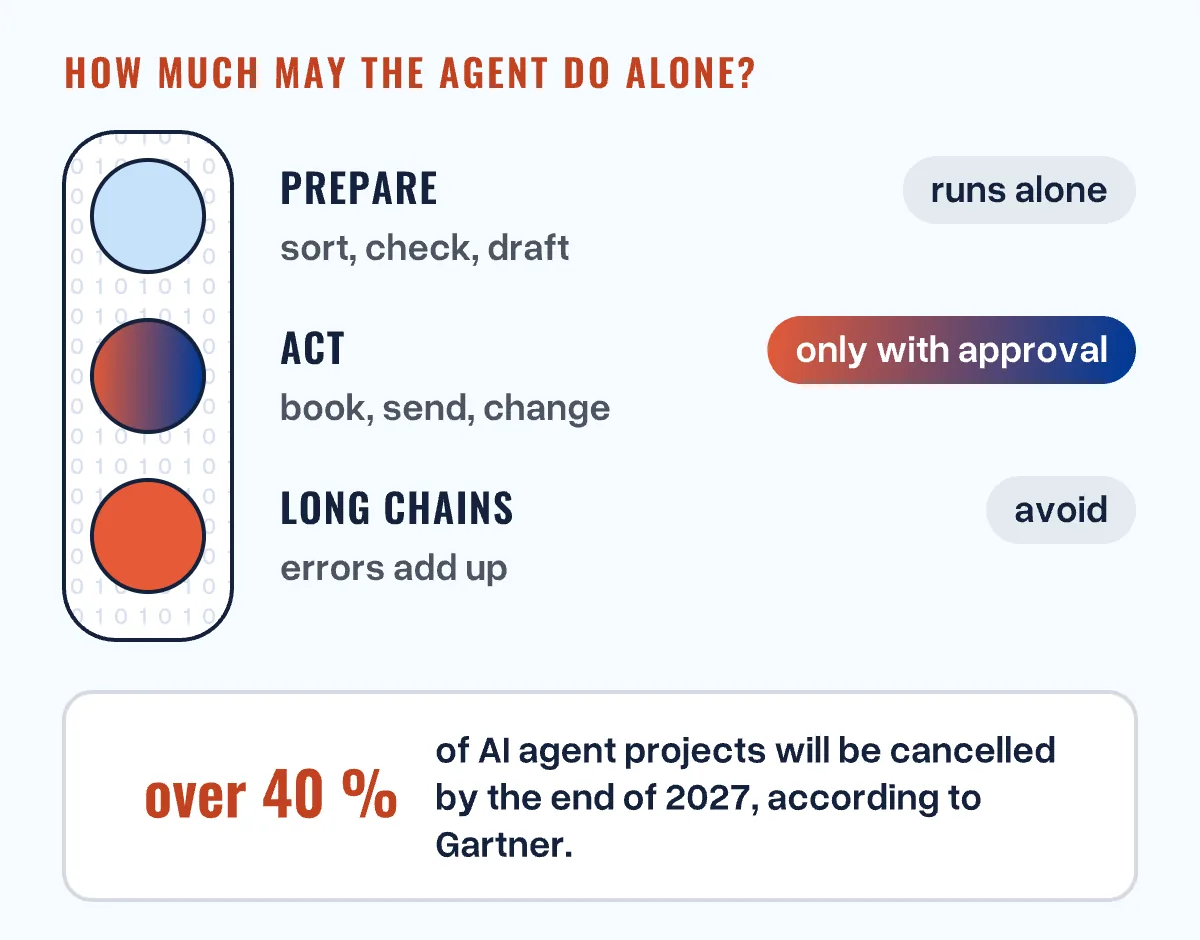
- Long chains of steps: every step has a small error rate, and the errors add up. The more steps an agent takes on its own, the more important checkpoints become.
- Unclear goals: an agent is only as good as its task description and the data it can see. "Improve customer service" is not a task, "Sort incoming requests into five categories" is.
- Security: agents read external content, and instructions hidden in it can mislead them. The OWASP list of the most important risks for LLM applications puts this "prompt injection" in first place and warns explicitly about "excessive agency", too many rights for the model (OWASP Top 10 for LLM Applications 2025).
- Old systems: connecting agents to legacy software is often technically complex and can require costly changes, as Gartner also notes.
Gartner expects that more than 40 % of agentic AI projects will be canceled by the end of 2027, due to escalating costs, unclear business value or inadequate risk controls. In the same release, Gartner predicts that by 2028 at least 15 % of day-to-day work decisions will be made autonomously by agents, up from 0 % in 2024. Both statements fit together: agents will matter, but only projects with a clear benefit and solid controls will survive. That matches what we see when we build agents: they rarely fail because of the AI itself, but because of unclear goals and steps nobody checks.
What does an AI agent cost?
The costs have two parts: building it once and running it continuously. In the Bitkom survey of September 2026, 54 % of companies already using AI said the costs are hard to calculate. That is why it is worth looking at the drivers.
Development: what drives the effort
- Number of connected systems: every interface to ERP, CRM, email or a database has to be built, secured and tested.
- Data quality: if the documents or master data are messy, preparing them often takes more time than the agent itself.
- Degree of autonomy: an agent that only drafts is simpler than one that books, sends or changes things on its own.
- Tests and evaluation: a set of real cases with known correct results, run before every change, is what makes an agent dependable.
- Rights, logging and compliance: who may the agent act for, what is recorded, which AI Act duties apply.
As rough orientation, not a price list: a clickable prototype on your real data is often built in a few days to two weeks, typically a low four-digit to low five-digit euro amount. A production agent for one workflow, connected to one to three systems, with tests, permissions and approvals, usually takes several weeks to a few months, which often means a mid five-digit to low six-digit euro amount. The drivers above decide where you land. The partner matters too: agencies with their own team and a lower hourly rate come in well below this for the same scope - how much, our example calculation in What does software development cost in 2026? shows.
Running costs: priced per request
Language models are billed by the amount of text processed (tokens). The price per request depends heavily on the model. In Anthropic's public price list, for example, the input price of the largest current model is around 80 times that of the smallest (as of November 2026). A sample calculation shows what that means:
| Model | Cost per month |
|---|---|
| Small model | about USD 42 |
| Mid-sized model | about USD 840 |
| Largest model | about USD 3,360 |
On top come hosting, monitoring and maintenance, because models, interfaces and your processes change.
Have an AI agent built or build it yourself?
Many office and CRM products now include agent builders. For a simple task inside one tool, that is often enough. A custom agent pays off when several systems are involved, when the decision criteria are specific to your business, or when you need control over data, hosting and logging. Technically, the open standard Model Context Protocol (MCP) helps here: it connects agents to tools and data sources and has been developed under the Linux Foundation since December 2025 (Linux Foundation).
If you choose a partner, look for three things: real references with reviews, a prototype on your data before the big contract, and someone who also tells you where an agent is not worth it.
Five steps to your first AI agent
- Pick one workflow: frequent, time-consuming, with a clear result. Not the most complex one.
- Define success: for example processing time per case, error rate or the share of cases that need no correction.
- Clarify data and access: which systems does the agent need, and which rights are the minimum?
- Build a prototype on real data: including test cases with known results, so you can measure quality instead of guessing.
- Go live with approvals: a person approves where it matters; measure quality and cost per case, then extend step by step. Check the transparency duties from the EU AI Act along the way.
How Vitec builds AI agents for businesses
We are a software development partner from Stuttgart and build AI agents that take real work off your team: they sort, check and draft, and your team decides. We start with the question of which step should become easier, then build a prototype on your real data. Only when it convinces do we build it out for production, with fixed test cases that run before every release, logging and a handover to a person whenever the agent is unsure.
We choose the model to fit the task, by quality, cost per request and data protection: Claude, GPT, Gemini or open-source models in the EU. And if your workflow follows clear rules, we tell you so and build classic automation without running AI costs. More on our AI development page, or book a free strategy call and tell us which workflow costs you time.
Conclusion
AI agents are not a magic button, but a solid tool for work that needs judgement and keeps coming back. Start with one clearly defined workflow, measure quality and cost per case, and let people approve where it matters. That is how an agent becomes part of daily operations instead of another cancelled pilot.